


I’ve been there. You start a coding session with your AI assistant, full of optimism. You have a plan. But then, reality hits. You spend hours coding, features get tweaked, the scope creeps, and you end up fixing bugs you never even planned for. By the time you look up, your code and your plan are living in different universes. I call this plan drift, and it’s a silent project killer.
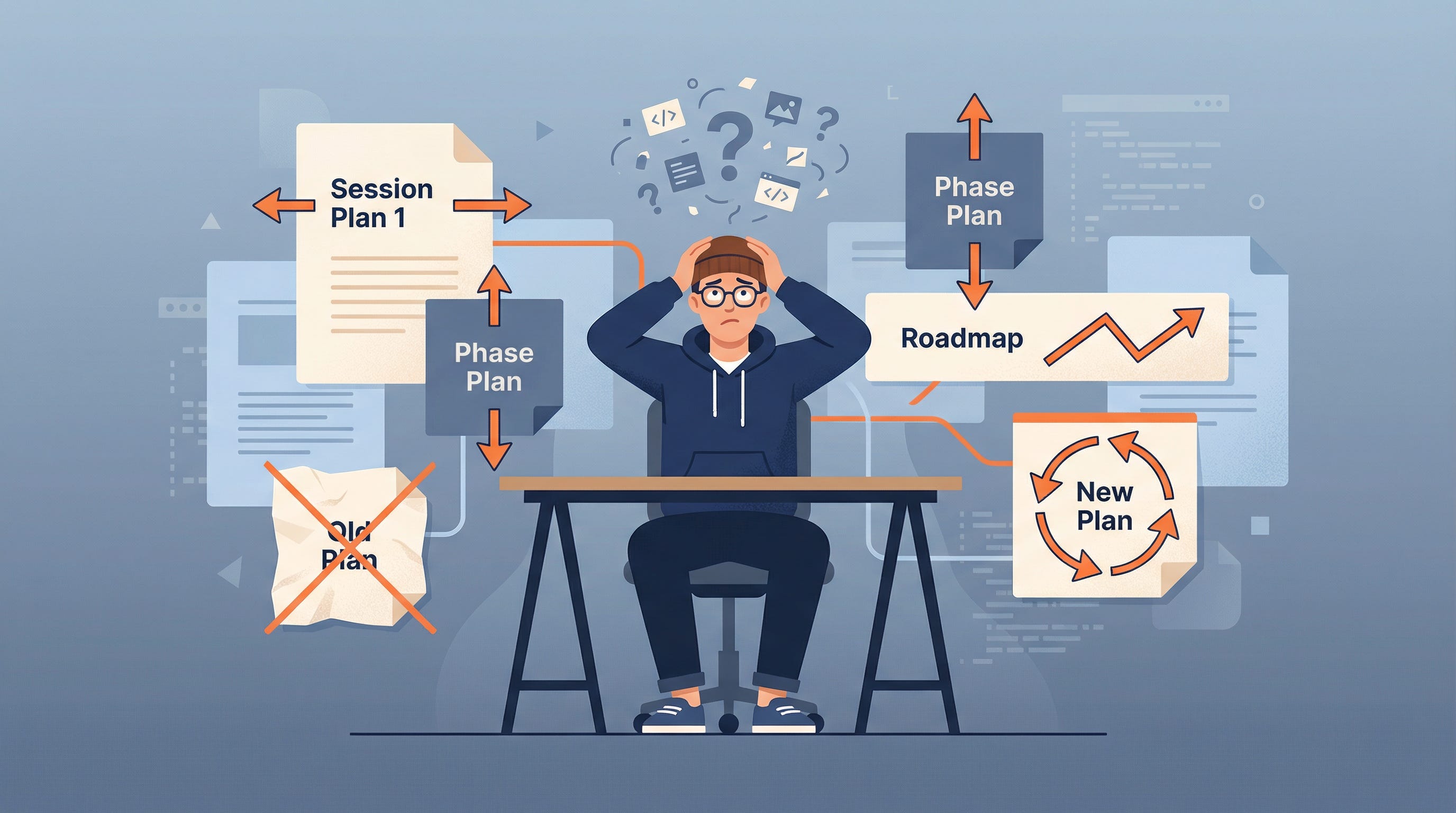
It gets worse. After a few weeks, you’re drowning in a sea of contradictory plans. Session plans, phase plans, roadmaps... they all say something different. Your AI is confused, and frankly, so are you. You’re both just building... something. But what?
Then comes the dreaded question: “Is it done?” Done according to which plan? The original one? The one from yesterday? What does “done” even mean anymore? How can you even test your work if the target is always moving?
It’s a frustrating cycle: plan, code, drift, get confused, manually test, miss things, and then do it all over again. It’s a loop that never seems to close. But what if it could?
Three Skills to Close the Loop
I’ve been experimenting with a few new approaches, and I’ve found a system that works (so far). It’s a set of three “skills” that I’ve taught my AI assistant to keep our projects on track. They’ve been a game-changer for me.
1. The Plan Governor: Your Single Source of Truth
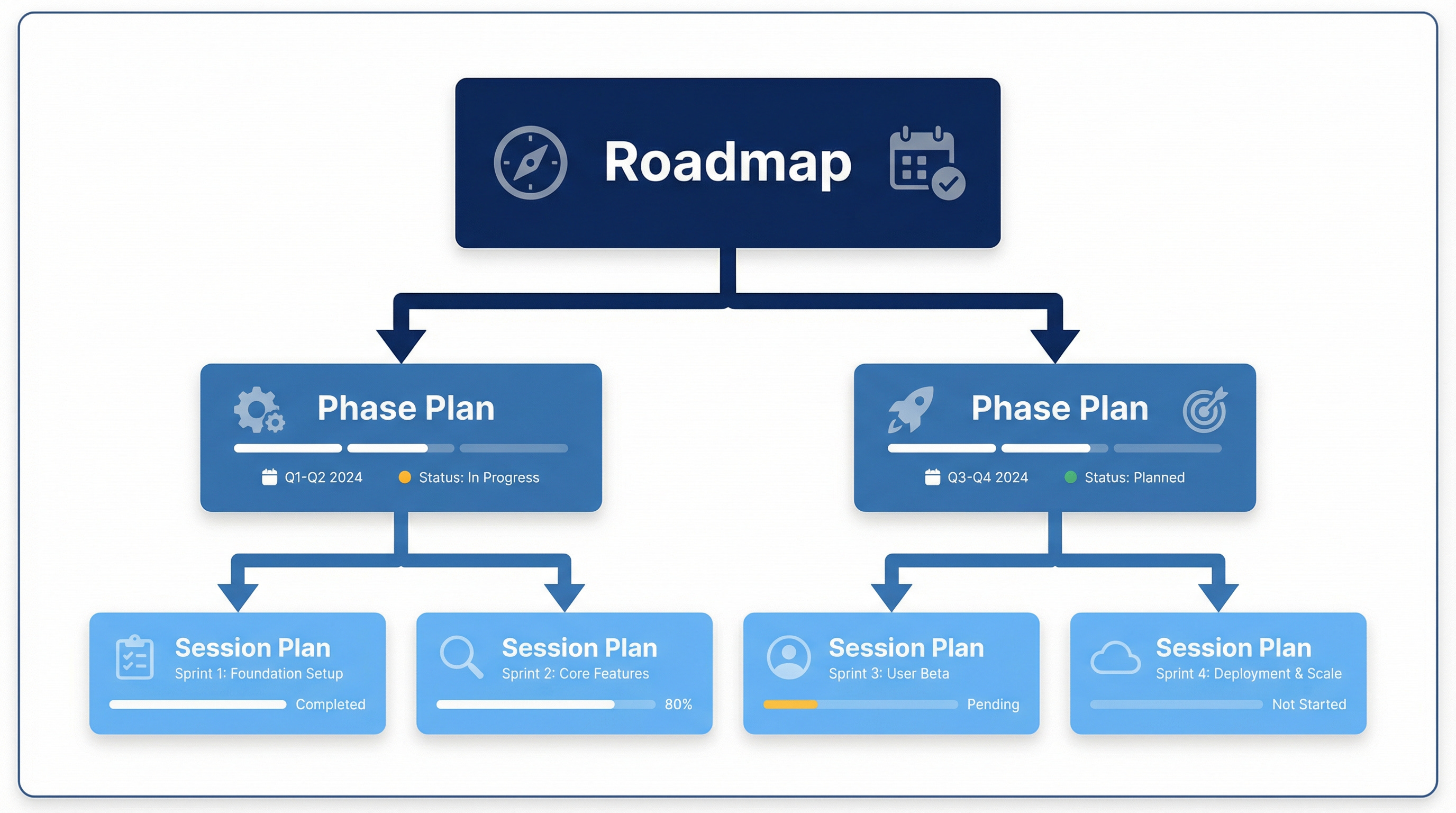
Imagine a world where you have one, and only one, master plan. That’s what the Plan Governor does. It creates a clear hierarchy for your plans: a Roadmap at the top, Phase Plans in the middle, and Session Plans at the bottom. Each plan is linked to the one above it, creating a single, easy-to-follow thread.
How it works:
At the start of every session, the Governor checks for any conflicting or outdated plans, making sure you’re always working from the latest version.
When the scope changes (and it always does), the Governor immediately updates the affected plan. No more waiting until the end of the day to sync up.
When you hit a milestone, the Governor marks your progress and makes sure everything is still aligned with the overall roadmap.
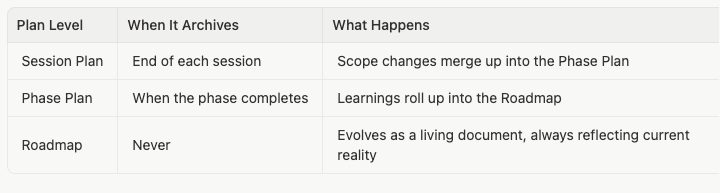
What happens to old plans?
With the Plan Governor, you can say goodbye to the chaos of multiple, conflicting plans. You’ll always have one source of truth, automatically maintained and always up-to-date.
2. Success Criteria: Defining “Done” Before You Start
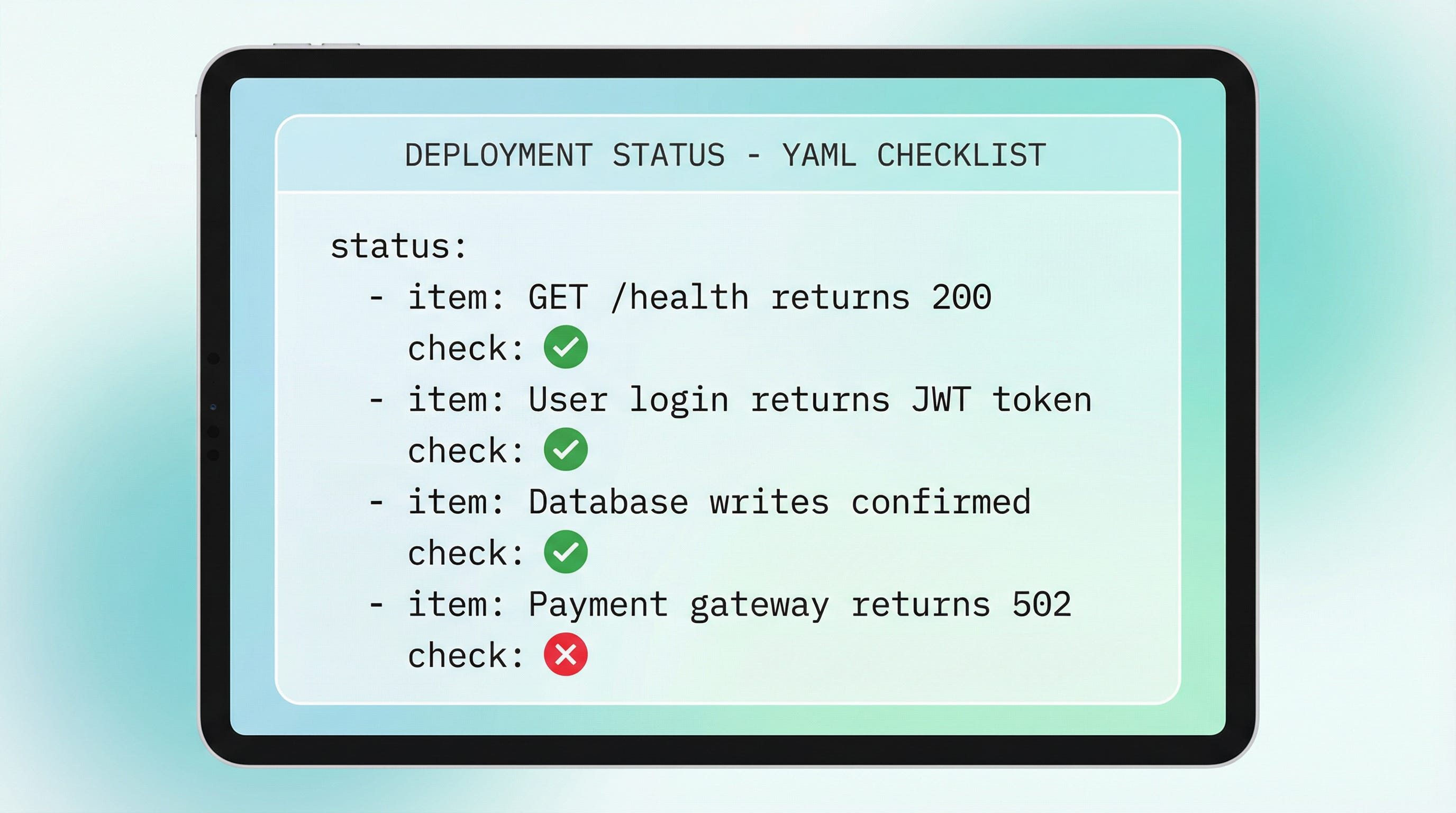
Once you have a plan, how do you know when you’ve actually achieved it? That’s where the Success Criteria skill comes in. It reads your plan and automatically generates a checklist of specific, testable outcomes. We’re not talking about vague goals like “the API should work.” We’re talking about concrete, verifiable checks like “a GET request to /health should return a 200 status code.”
How it works:
After any new plan is created, the Success Criteria skill kicks in and generates your checklist.
If the scope changes, the skill is smart enough to update only the affected checks. No need to start from scratch.
If you get feedback that changes your definition of “done,” the skill will update your checklist to match.
Without this, your QA process is basically a guessing game. With it, every requirement becomes a simple yes/no question that a machine can answer.
3. The QA Runner: Your Autonomous Verify-and-Fix Loop
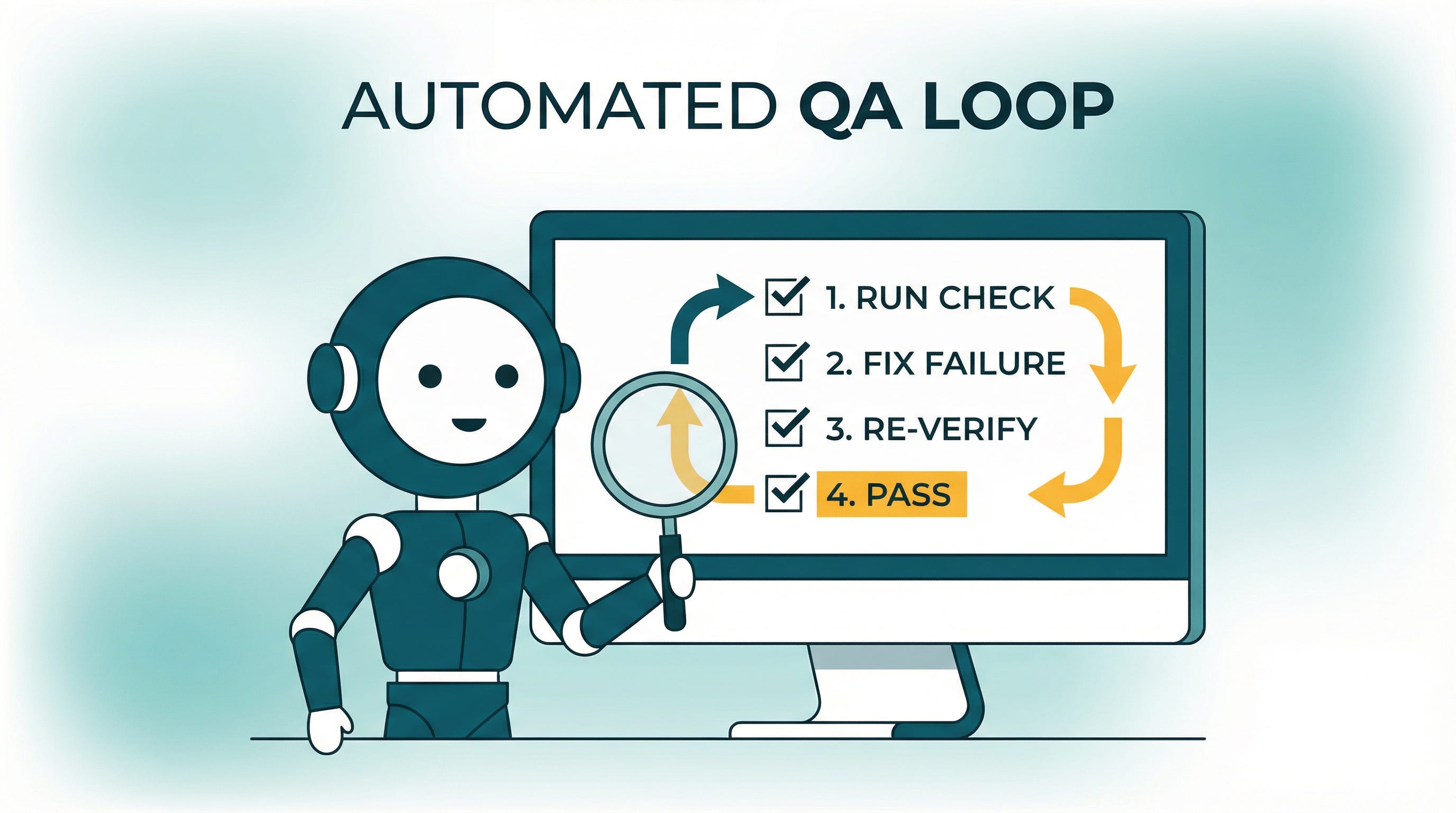
This is where the magic really happens. The QA Runner takes your checklist of success criteria and runs through it, one item at a time. It verifies each check, and if it finds a failure, it tries to fix it on its own. Then it re-verifies the fix and continues on. The QA Runner won’t stop until every check is passed or it’s provably blocked.And if fixing one thing breaks something else? The QA Runner will catch that too, and revert the change. It’s like having a tireless, autonomous QA engineer working alongside you (although it does require you to re-trigger it after a few runs).
How it works:
After your success criteria are created or updated, the QA Runner starts its work.
After you fix a bug, the QA Runner re-verifies the affected checks to make sure the fix worked.
After every build or deployment, the QA Runner does a full sweep to make sure everything is still working as expected.
How the Loop Closes
So, how does this all come together? It’s a simple loop.
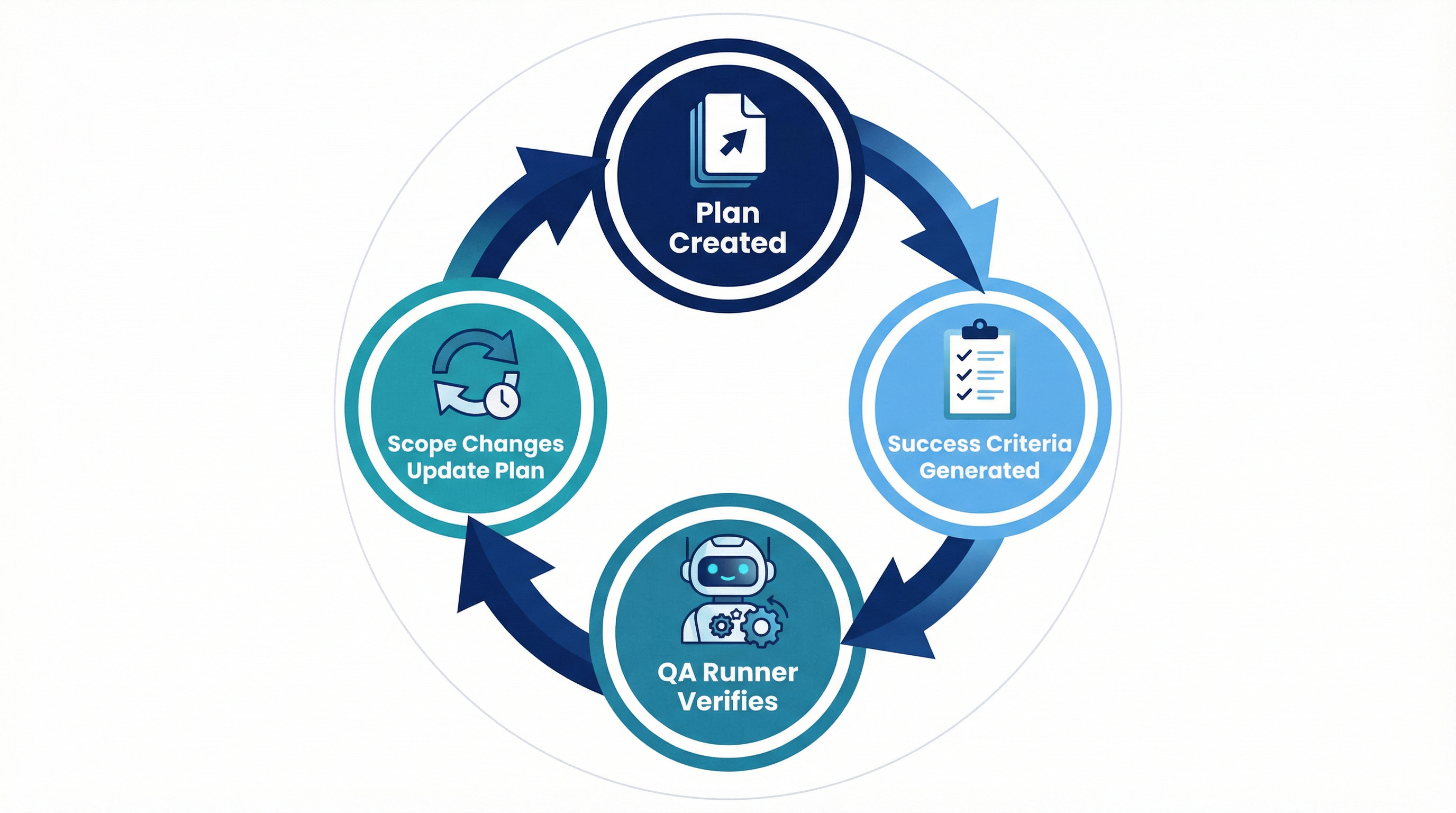
When the scope changes, the Plan Governor updates the plan. That triggers the Success Criteria skill to update the checklist. And that re-triggers the QA Runner to verify the changes. When the session is over, the session plan is archived, the changes are merged up, and the phase plan remains the single source of truth.
The result? You always know what the plan is, you always know what “done” means, and you always know if your code is actually doing what it’s supposed to be doing. The loop is closed, automatically. No more manual checking, no more confusion, no more plan drift.
If you’re interested in trying out these skills for yourself, you can find them here.
A Few Quick Tips
Here are a few other things I’ve learned along the way that have helped me get the most out of my AI coding assistant.
Meta-review your plans. Before you start coding, ask your AI to review the plan as if it were a senior engineer reviewing a junior engineer’s work. Ask it to identify any missing features, security gaps, or potential risks. Go back and forth a few times to make the plan as solid as possible. It’s thinking about thinking — you’re asking Claude Code to reflect on its own reasoning before a single line of code is written.
Keep your plans in one place. Claude Code saves plans to a random system folder with a random name. As soon as a plan is created, move it to a dedicated docs/plans/ folder in your project. Give it a clear, descriptive name, and delete the original. One location, one source of truth.
Use a memory loader. Build a skill that loads your agent’s memory, recent session logs, and project context at the start of every session. Without this, every session starts from zero and you’ll find yourself repeating yourself constantly.
Log your sessions. At the end of every session, take a minute to log what you did, what changed, and what’s next. Be sure to include a starter prompt for the next session — the exact context needed to pick up right where you left off. Your future self (or the next agent) will thank you.
See you next week. Till then, cheers!
See previous columns here: https://tea2025.substack.com/t/teacolumn