

This week, I want to share some of my learnings and skills as I continue working on the concept of dream management. One of the major challenges I have noticed in the AI space is how to share memories, skills, tools, and knowledge about users across different agents. It is a significant problem because every company wants to keep you locked into their ecosystem, and one way they achieve this is through memory silos.
How do you distill your memory from all these separate agents and share it across different platforms so they can work together? This is a project I am actively working on. Hopefully, I will soon be able to share a detailed report on how to distill your memories, harness your knowledge, and sync it across all your agents, specifically Codex and Claude Code.
In the meantime, here are three key things I learned this week.
1. Test-Driven Development and the Monitor Agent Pattern
One of the most effective strategies I discovered is setting up Quality Assurance (QA) independently by defining all the criteria upfront. For example, I was building a Telegram bot that required form automation where users type in various instructor data. In the background, the system needs to submit the form autonomously, asking questions and handling the workflow.
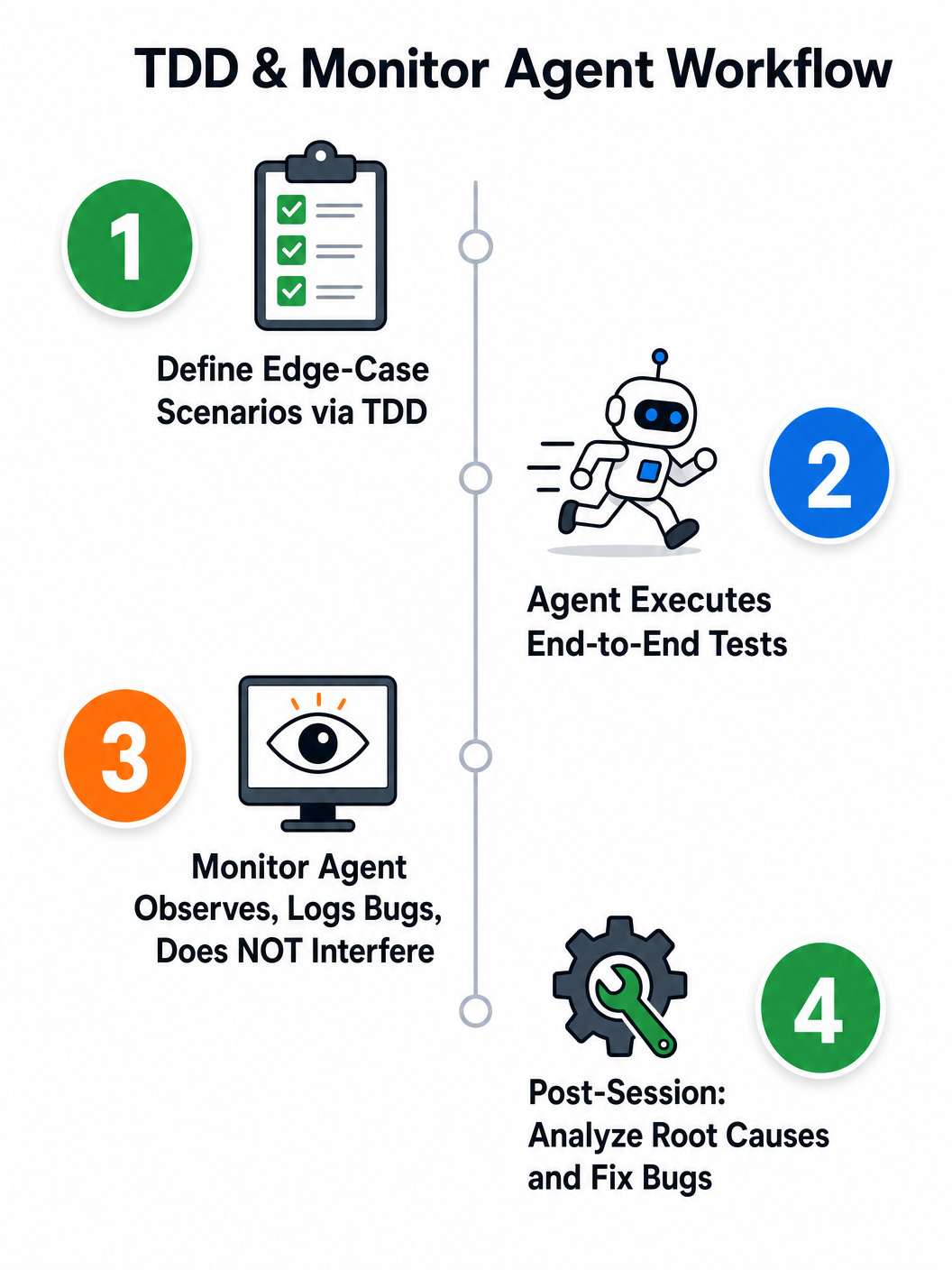
If you don’t test this through Telegram, it isn’t truly end-to-end because it doesn’t imitate actual user behavior. By using test-driven development, you can set up all the edge-case scenarios and have an agent like Codex or Claude Code execute the end-to-end testing for you using a computer interface.
Another approach I found incredibly helpful is using a monitor agent. Eventually, you want an agent (like Hermes) to collect information through a Telegram bot and let the automation project run on its own. During the debugging and testing phase, the best way to manage this is to have Codex or Claude Code act as a monitor while the testing is happening.
As the testing runs, the monitor agent doesn’t interfere. It simply documents everything and logs all the bugs it encounters. Once the testing session is over, the agent can analyze the root causes of the bugs and fix them to prevent future occurrences. This way, you aren’t interfering with the independent agent’s working process, but you still have a robust monitoring system in place.
2. Managing Permissions for Overnight Projects
A second lesson I learned, which might be common knowledge for many of you, is how to handle projects that you set up to run overnight. There is nothing more frustrating than waking up only to realize that three minutes after you fell asleep, the agent paused to ask for your permission to proceed.
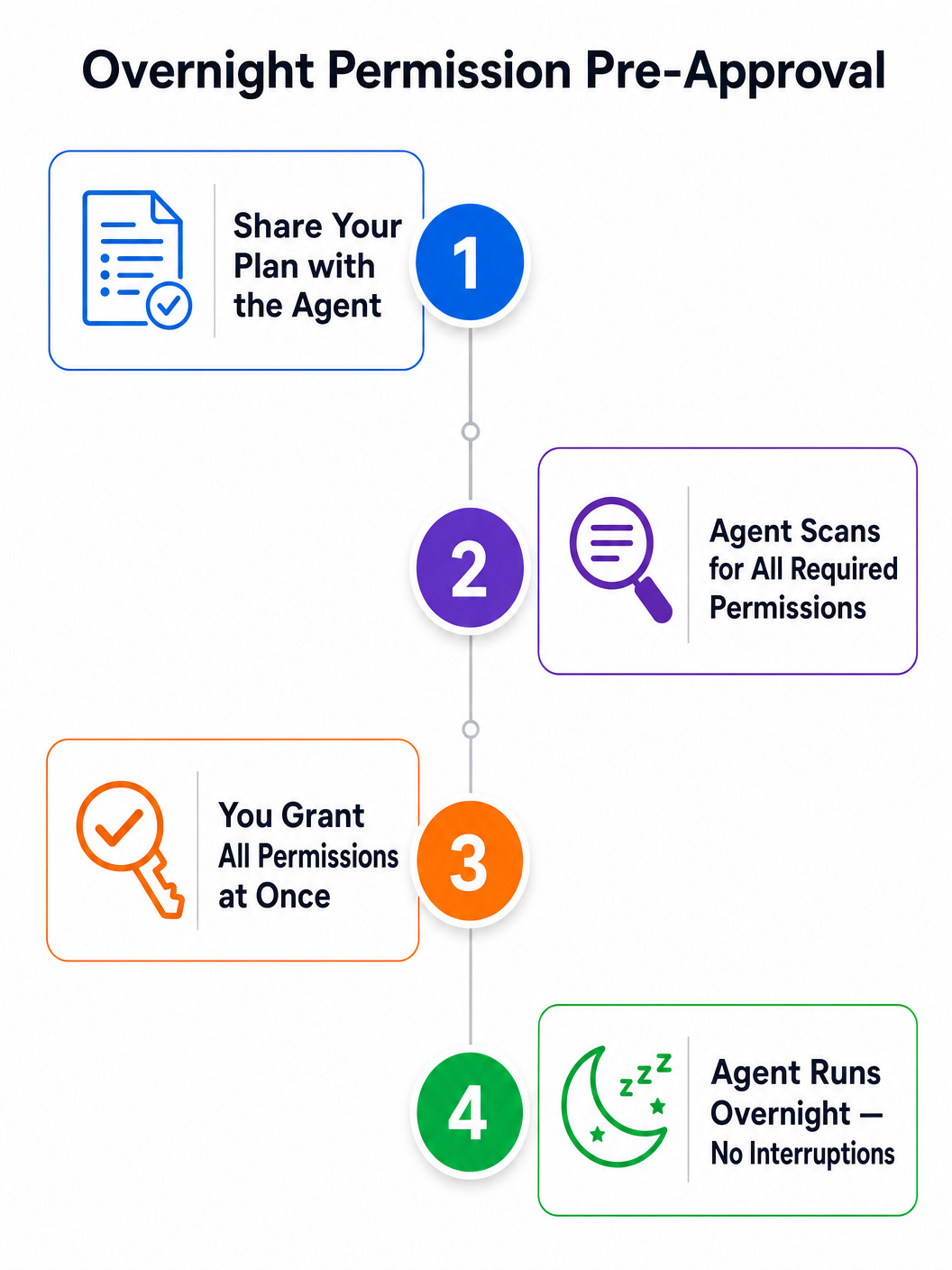
The way to tackle this is to be proactive at the beginning of the session. Tell the agent upfront that you will be stepping away. Ask it to scan through the plan it is making, whether it’s a testing plan or a development plan, and evaluate if there are any permissions required ahead of time. Have the agent list them all out so you can review and grant all necessary permissions at once. This ensures the agent can run continuously without needing to pause and ask for authorization in the middle of the night.
3. Connecting Multiple Emails to AI Agents
The third learning revolves around connectors, specifically for Claude Code. One of the most requested features is the ability to connect to different email accounts, since most of us juggle multiple inboxes:
Inbox
Purpose
Work email
Professional communications and client projects
Project email
Dedicated to a specific automation or side project
Personal email
Day-to-day personal use
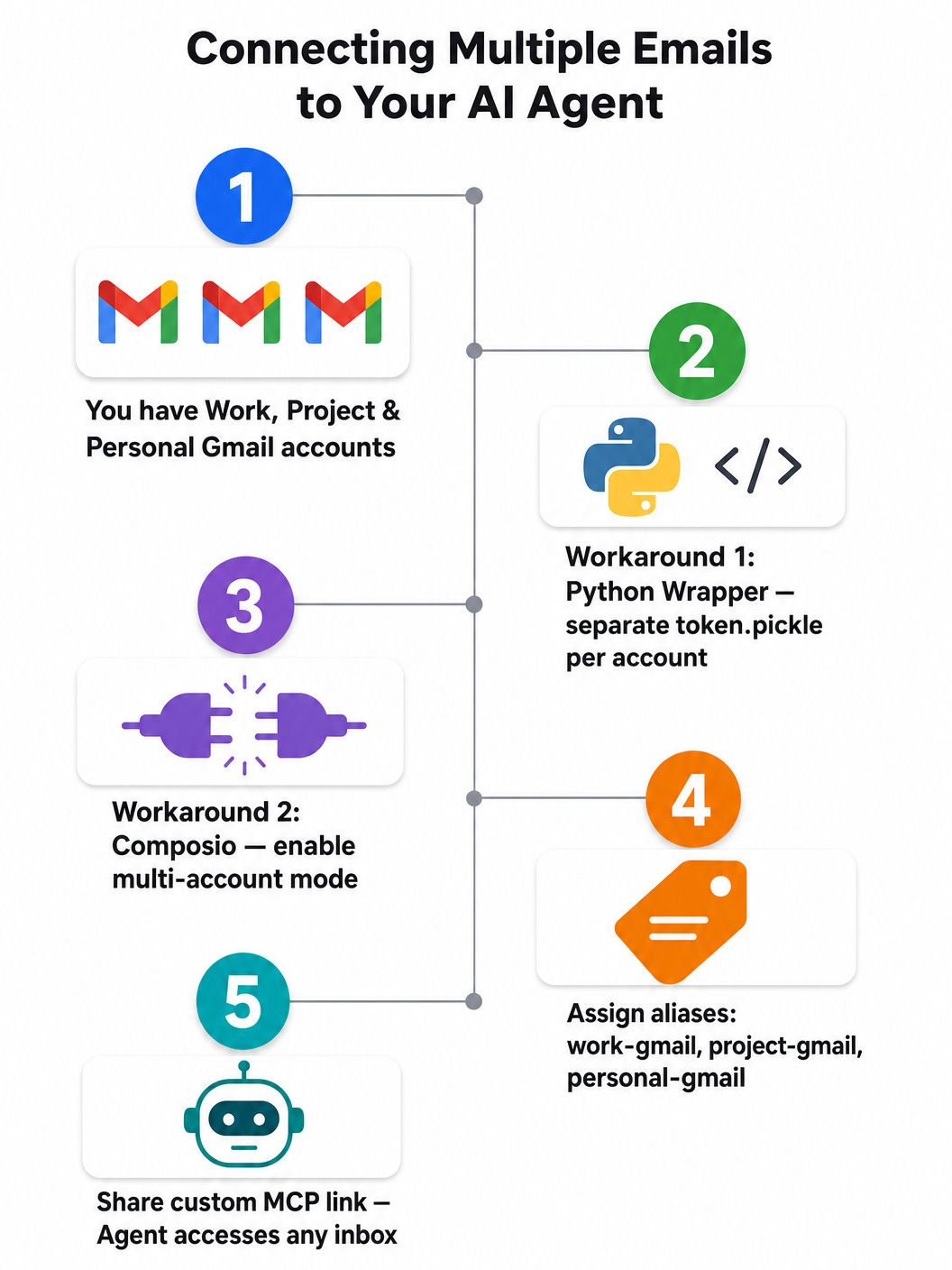
How do we manage this? Currently, the native connector through Claude Code only allows one email account. However, I found two effective workarounds for my other projects, and both work.
Workaround 1: Python Wrapper
For project-specific needs, you can build a Python wrapper to handle multiple Gmail accounts. When using the Gmail API, a single credentials.json file is typically generated per Google Cloud project. To manage multiple accounts, the solution is to authorize each Gmail account separately and generate a dedicated OAuth token file for each one (e.g., token_work.pickle, token_personal.pickle). In your Python script, you can then dynamically load the specific token file associated with the account you need to access, allowing your agent to switch between inboxes seamlessly.
Here is the core pattern:
import os import pickle from google.auth.transport.requests import Request from google_auth_oauthlib.flow import InstalledAppFlow from googleapiclient.discovery import build SCOPES = [’https://mail.google.com/’] def get_gmail_service(token_path: str, credentials_path: str = ‘credentials.json’ ): “”“Load a Gmail service for a specific account using its dedicated token file.”“” creds = None if os.path.exists(token_path): with open(token_path, ‘rb’) as token: creds = pickle.load(token) if not creds or not creds.valid: if creds and creds.expired and creds.refresh_token: creds.refresh(Request()) else: flow = InstalledAppFlow.from_client_secrets_file(credentials_path, SCOPES) creds = flow.run_local_server(port=0) with open(token_path, ‘wb’) as token: pickle.dump(creds, token) return build(’gmail’, ‘v1’, credentials=creds) # Usage: load the right account for each project work_service = get_gmail_service(’token_work.pickle’) project_service = get_gmail_service(’token_project.pickle’) personal_service = get_gmail_service(’token_personal.pickle’)Each call to get_gmail_service() points to a different token file, so each project gets its own authenticated Gmail session without any conflict.
Workaround 2: Composio MCP Connector
Another excellent solution is using an integration platform like Composio. Composio provides 1,000+ toolkits and 20,000+ tools accessible via MCP or direct APIs. It supports a multi-account mode that lets you authorize and link multiple accounts for the same toolkit within a single session. You can assign human-readable aliases (like “work-gmail” or “personal-gmail”) to each connected account, making it easy for the agent to identify and select the correct inbox during execution.
# Enable multi-account mode for Gmail session = composio.create( user_id=”user_123”, toolkits=[”gmail”], multi_account={ “enable”: True, “max_accounts_per_toolkit”: 3, }, ) # Authorize and alias each account separately work_auth = session.authorize(”gmail”, alias=”work-gmail”) project_auth = session.authorize(”gmail”, alias=”project-gmail”) personal_auth = session.authorize(”gmail”, alias=”personal-gmail”)You connect to these accounts first through Composio and then share the custom MCP link with your agent. Instead of a dedicated native connector, you are using a personal, custom MCP, and it works just as well.
Moving Forward
Every week brings new lessons and mistakes to learn from. In the era of AI, everything happens incredibly fast, but true growth still takes time. As long as you keep trying, there will always be a way forward.
When knowledge is no longer a barrier and you have access to all the information in the world, the real problem becomes: what will you do with it? When there are endless options, saying “no” can be more powerful than saying “yes,” because your attention is your most valuable resource.
It is a very exciting time filled with opportunities and possibilities. I am very grateful to be alive and building in this era.
Until next time!
Previous column articles can be found here: